RFI 10 steps
After-hours access
Turn a spoken access question into an assigned RFI, then inspect the request and its destination fields.
Open RFI wrkspce.ai CMAA review
Prepared for Jeffrey
The latest VoPro and Procore mockups, construction footage, backdrop artwork and music options, together for your CMAA review.
50 current clips · 3 workflows · 5 music options

FULL-LENGTH STARTING ASSEMBLY
All current footage and complete walkthroughs are ready to reorder. You control every cut.
Open the shot-order editor ↗ · Workflows over blurred footage ↗ · Production recap & timing ↗
Follow the information from voice capture to the record in Procore.
RFI 10 steps
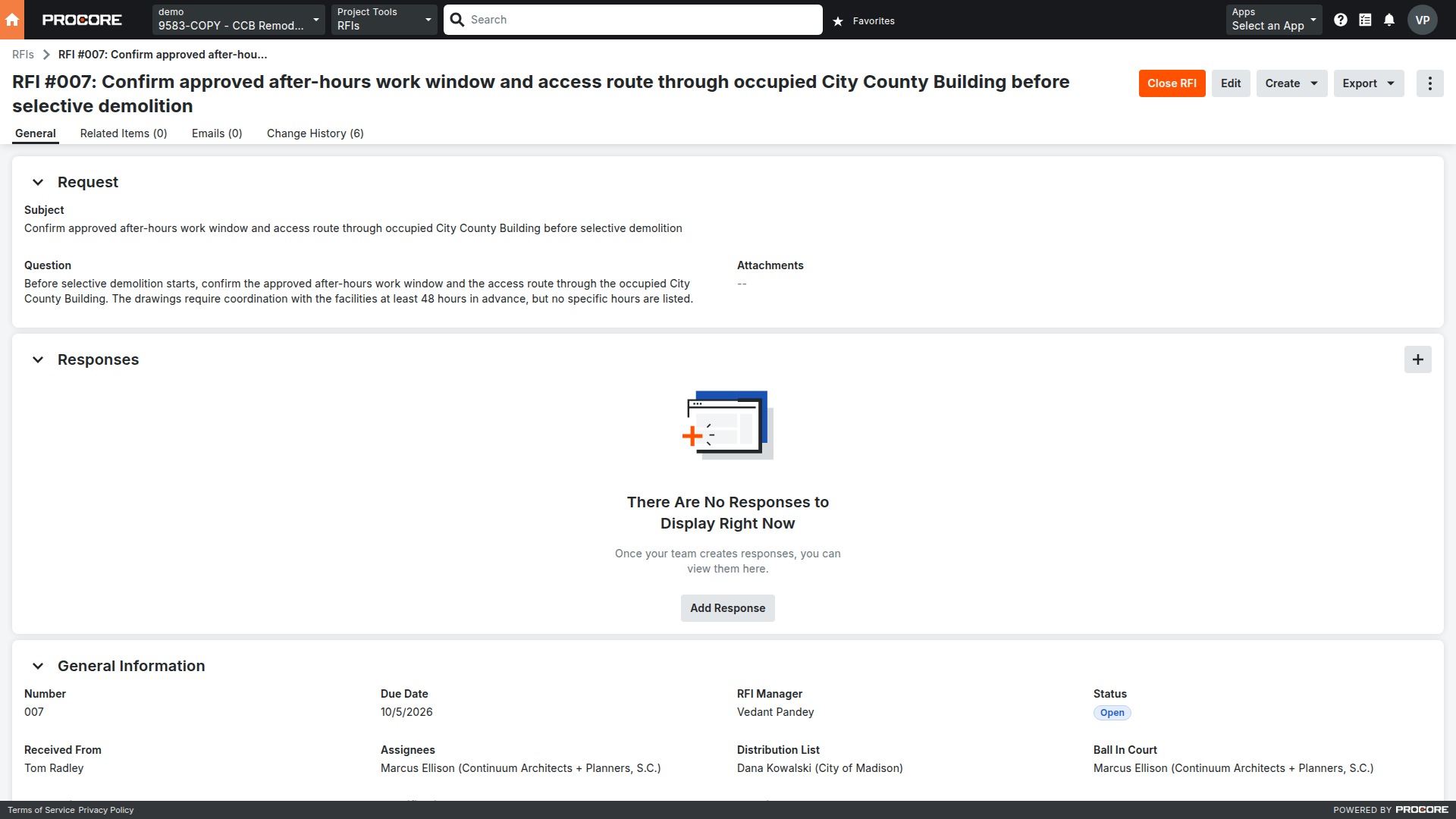
Turn a spoken access question into an assigned RFI, then inspect the request and its destination fields.
Open RFI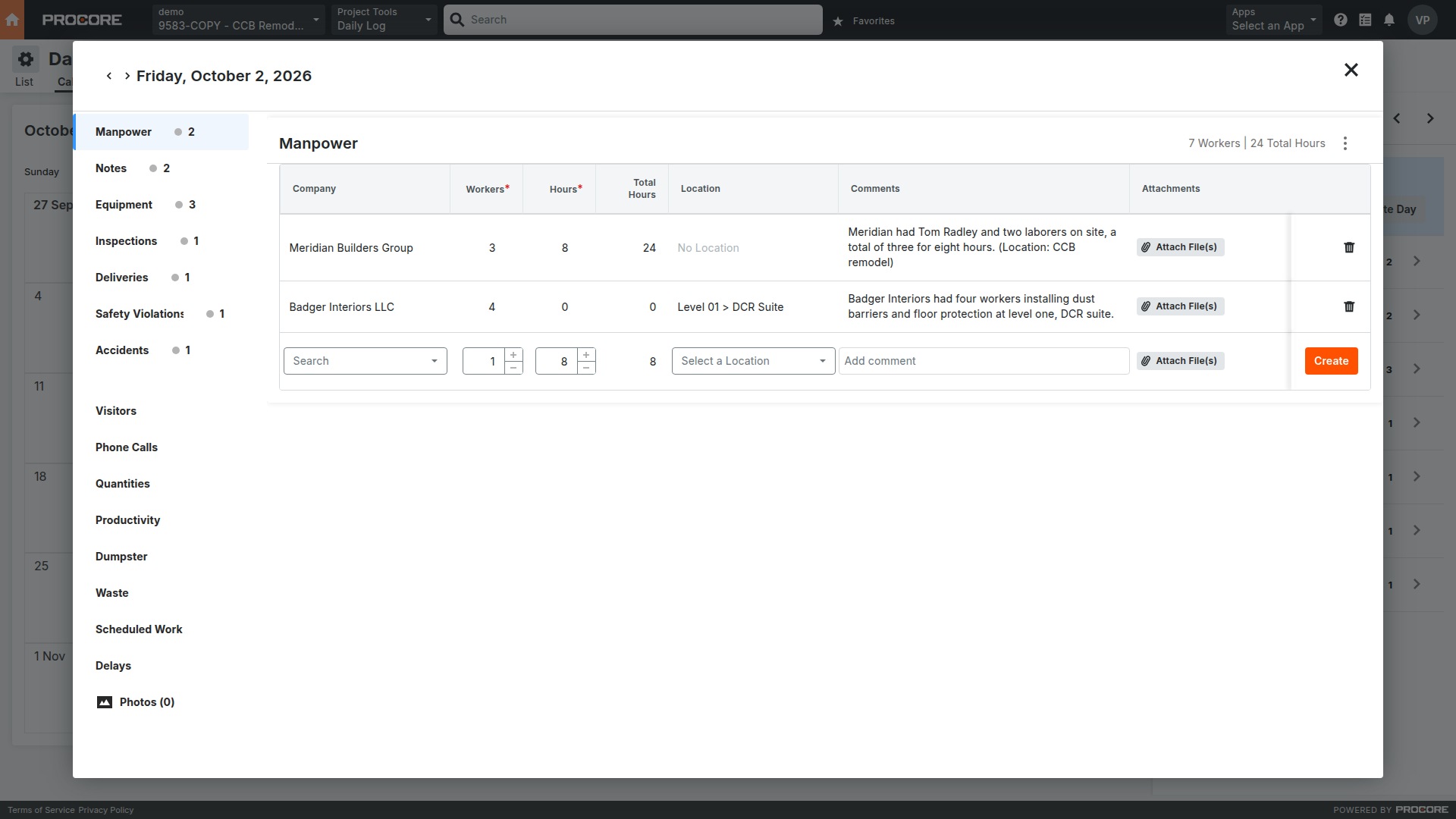
Daily Log 10 steps
Capture crews, equipment and site conditions in one report. Follow the accepted entries into October 2’s daily log.
Open Daily Log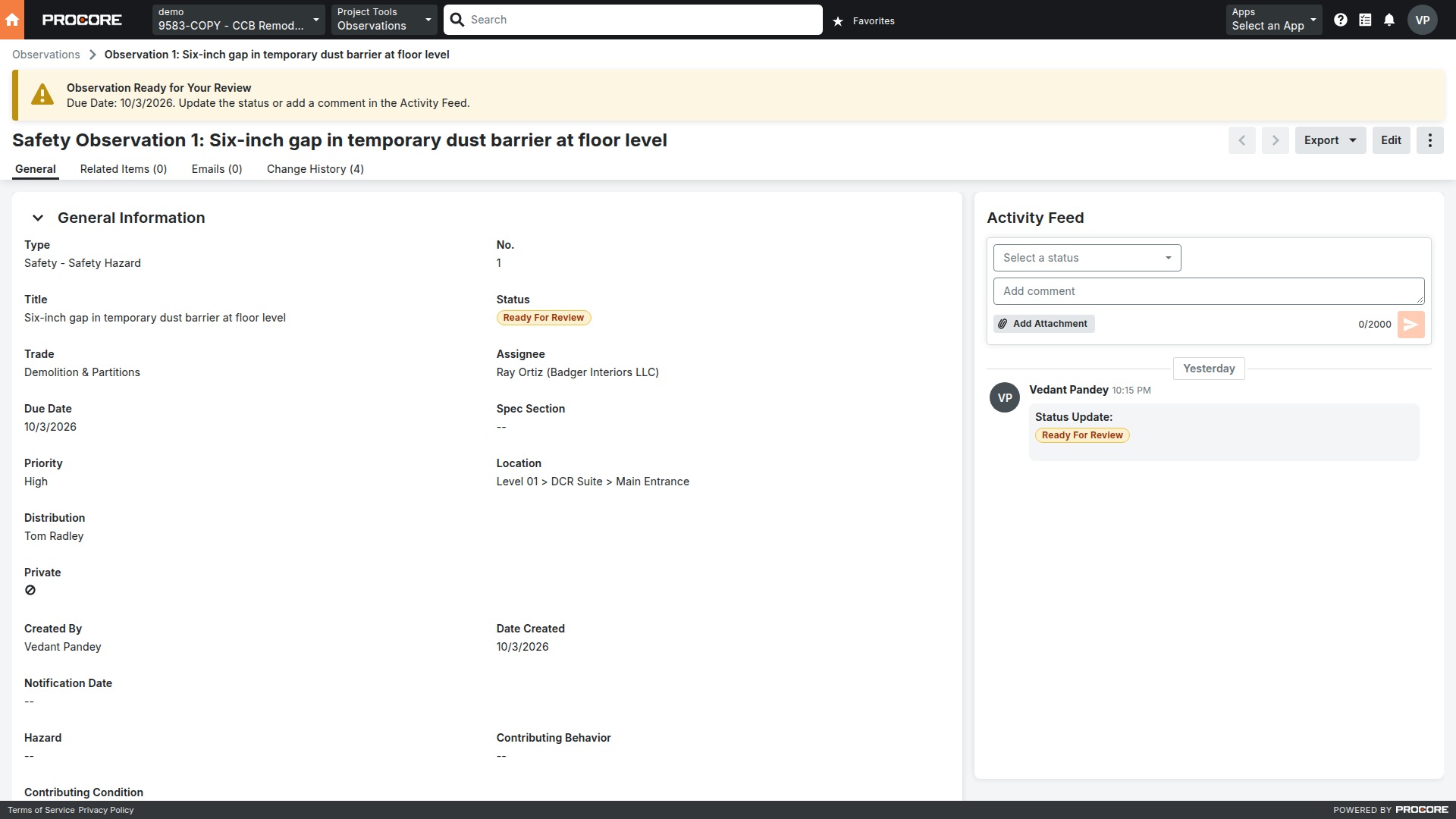
Observation 11 steps
Document the dust-barrier gap, review the observation and photo separately, then verify the transferred evidence and advance the status in Procore.
Open ObservationOpen a workflow and present it with Previous and Next. Each step animates once automatically. Desktop or a large screen gives the clearest view. MP4 exports are pending review.
50 current clips, about 7 minutes 43 seconds. Filter by story or play through the collection.
Choose a clip and tap Play.
Flyover · Shot 18
50 clips
Five options, each in a web-friendly 192 kbps MP3. Listen here or download a copy.
The supplied wrkspce.ai artwork, with its original cyan and magenta voice-wave treatment.